
AI for document intake: stop re-keying invoices and forms
The short answer
Invoices, supplier forms, onboarding packs, contracts and timesheets still arrive as PDFs and scans that someone re-types into another system. AI can now read these documents, pull out the fields you need, check them against your rules and post them into your systems, sending only the exceptions to a person. It’s one of the most dependable places for AI to pay back, but it needs a properly designed process rather than an AI assistant licence.
Video answer
[(Video)Optional: a short video walking through this use case]
Who has this problem
This use case is for you if any of these sound familiar:
- Staff re-typing invoices, forms or timesheets into finance, HR or CRM systems
- Bottlenecks at month end or payroll while paperwork is processed
- Keying errors that only surface later
- Documents arriving in many formats, from many different senders
- No audit trail of who checked what
Why an AI assistant on its own doesn’t fix it
You can ask Copilot or ChatGPT to summarise a PDF, but that isn’t data capture.
Processing documents at volume needs reliable extraction of specific fields, checks against your rules (does the supplier exist, does the purchase order match, do the totals add up), a way to post the results into your systems, and a record of every decision. That’s a designed process, not a chat.
What good looks like
- Documents arrive in one place, by email, upload or scan.
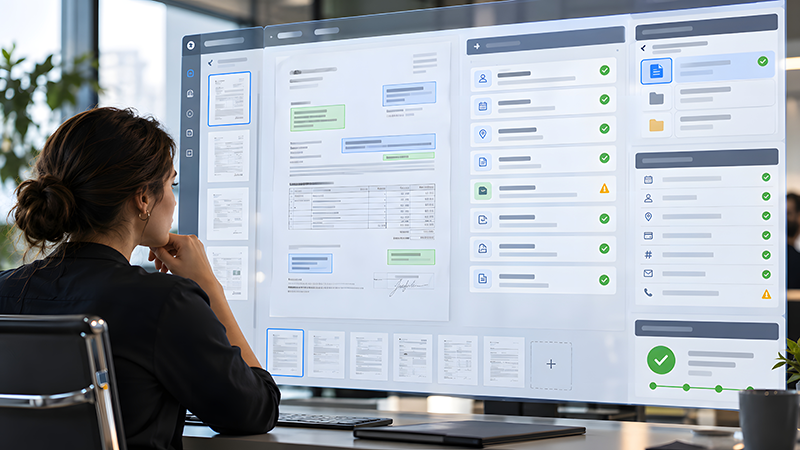
- AI reads each one and extracts the fields you need, with a measure of how confident it is.
- Rules check the results, matching suppliers, purchase orders, employees or customers, and flagging anything that doesn’t add up.
- Confident, matching items go straight through into your system.
- Exceptions go to a person, with the document and the problem side by side.
- Every step is logged, so you can show auditors who approved what.
What it takes to get right
We look at every use case through the five layers of our Five Layer Model™. These are the things that need to be in place:
| Layer | What needs to be in place |
|---|---|
| Strategy & Use Cases | The document types with the highest volume and the highest cost of errors, chosen first |
| Knowledge & Culture | A team that understands the new checks and trusts them, with their role moving from typing to handling exceptions |
| Operating Model | Clear rules on what can go straight through, what a person must check, and who handles exceptions |
| Data Architecture & Security | Clean reference data, such as supplier, customer and employee lists, so documents can be matched |
| Infrastructure by Design | Connections to your finance, HR or CRM system, and secure storage for the documents |
What it costs and how long it takes
Factors to consider for a document intake project include, how many document types you handle, how varied they are, and how many systems the data needs to reach. Many finance and HR systems now offer document capture as an option, so we always check what you already own first. See our pricing page for the ranges for each stage.
What can go wrong
- Messy reference data: if your supplier list is full of duplicates, matching fails. Clean it first.
- Going straight through too soon: start with a person checking everything, then let more through as accuracy is proven.
- Forgetting the exceptions: the hard cases still need people, so plan who handles them and how quickly.
- Measuring nothing: record the time per document and the error rate before you start.
Where to start
Choose one document type with high volume and a clear destination, such as supplier invoices. Collect a good sample of real examples, agree the fields and checks, and run a short pilot alongside your current process before switching over.
Questions people ask
How accurate is AI at reading documents?
It depends on the documents. Clear, typed documents are handled well; handwriting, poor scans and unusual layouts are harder. That’s why a good design sends low-confidence results to a person rather than guessing. Test it on your own documents rather than relying on a vendor’s figures.
Is this the same as OCR?
OCR turns an image into text. Modern AI goes further: it understands which number is the invoice total, which date is the due date and which line is VAT, even when every supplier’s layout is different.
Can it handle contracts?
For pulling out key terms such as dates, values, renewal and notice periods, yes, with a person checking. For deciding what a contract means for you, keep a qualified person in charge.
Where do you stand?
Score your organisation across the five layers and get a personal report.